Twitter Advanced Search
Circleboom goes beyond X's native search by giving you historical archives, real-time tracking, hashtag analytics, keyword monitoring, and structured exports in one tool

Circleboom : An Official Enterprise Developer
"Work with a trusted X Official Enterprise Developer to expand what's possible for your business. Each Official Enterprise Developer has been selected for the program after an extensive evaluation, and represents excellence, value, and trust." — X (Twitter)Circleboom Twitter Tool
Circleboom Twitter management tool provides account analytics, follower/friends insights, tools to check, fakes, spammers, inactive accounts, advanced account search and delete tweet services.

TWITTER DATASET
Build structured, exportable Twitter datasets from any keyword, hashtag, or topic query. Define the search parameters — keywords, date ranges, engagement thresholds, language — and Circleboom collects the matching tweets with full metadata: impression count, like count, retweet count, quote count, timestamp, and author details.
Whether you need raw data for journalism, academic research, or machine learning pipelines, the Twitter dataset output is clean, consistent, and ready for further processing. Export directly to CSV with one click.

TWITTER HISTORICAL DATA
Search previous tweets going back up to a year or more. If you've been looking for old tweets from a specific period, Circleboom's Twitter Historical Data gives you date-range control that X's native interface doesn't. Whether you want to find older tweets about a brand, a product, or a topic, or need to see the oldest tweets in a conversation to reconstruct the full timeline, the tool handles it.
How to check old tweets that X won't surface? Enter the keywords, set the date window, and run the search. Export Twitter historical data as a full CSV — post text, timestamps, engagement metrics, and author accounts all included.

TRACK TWITTER MENTIONS
Monitor every time a keyword, brand name, or phrase appears on Twitter, not just tagged mentions. Circleboom treats Twitter as a full search social media mentions layer: define the terms, and it surfaces every matching post across hashtags, usernames, and plain text.
Social mention search across all tweet types gives you complete brand coverage. Track Twitter mentions continuously, review results as they accumulate, and take action — follow, export, or add to a list — without switching tools.

TWITTER TREND CHECKER
Identify which topics are gaining traction before they peak. Circleboom maps Twitter topic trends across keywords, hashtags, and phrases — showing volume over time, when engagement spiked, and which accounts are driving the conversation forward.
Stop building content strategy around guesswork. See which terms are accelerating in your niche, track how discussion intensity shifts across a date window, and position your account ahead of the trend rather than chasing it after the fact.

TWITTER SENTIMENT ANALYSIS
Understand not just what's being said but how people feel about it. Circleboom's analysis builds a Twitter sentiment analysis dataset for any keyword or hashtag, classifying tweets as positive, negative, or neutral based on content signals.
Twitter emotion analysis goes further, identifying specific emotional tones within the text. Use sentiment and emotion data to measure how a campaign is landing, monitor shifts in brand perception after an announcement, or create labeled datasets for NLP research and machine learning models.

CIRCLEBOOM IS AN X ENTERPRISE DEVELOPER
Circleboom is an official X Enterprise developer tool. Therefore, when you use Circleboom services and connect your X account, you are totally safe. You will enjoy tools and services that are not available even in the native X dashboard.

ADVANCED ACCOUNT SEARCH
You can search for followers & following of any Twitter (X) account. You can search accounts on bios and profiles through historical and real-time data.
You can also find influencers on X with Circleboom. If you want to increase your tweet reach, you should find Twitter influencers with big follower numbers.
Last but not least, you can search for people on Twitter Communities.

TWITTER HASHTAG TRACKER
Track any hashtag across Twitter (X) in real time or over a selected historical window. Circleboom works as hashtag monitoring software — pulling every tweet under a target tag, identifying the accounts posting it, and revealing engagement patterns across the timeline. Whether you're asking "can you follow hashtags on Twitter?" or "how do I follow hashtags on Twitter?", the answer goes further here: Circleboom turns a hashtag feed into a structured, filterable dataset.
Use it as a complete hashtag research tool for campaign analysis, competitor monitoring, or community discovery. Every post under the hashtag is counted, attributed, and exportable.

REAL TIME TWEET TRACKER
Circleboom's Real Time Tweet Tracker turns that feed into a live, growing dataset. Every tweet matching your keyword, hashtag, or brand mention arrives with engagement numbers, author location, and account data attached, ready to follow, list, or export while the moment is still live.
Capture tweets from any start date forward as they are posted. Circleboom builds a live, accumulating dataset of matching content so you can export real-time tweets at any point, watch a conversation develop from its first moment, and act on accounts expressing a signal before the window closes.
Use real-time tracking for product launches, competitor incidents, live events, and breaking news. Set engagement thresholds to filter for high-signal posts, then follow or export the accounts behind them directly from the results.

TWEET LOCATION FINDER
Identify where tweets are being posted using Twitter geocode data. Circleboom's location filter lets you find the location of tweets within a specified city, region, or coordinate radius by surfacing geographically relevant posts and the accounts behind them.
Use it for local campaigns, event-based outreach, or regional research. When your audience is concentrated in a specific place and you need to reach them based on where they're tweeting from, location-based filtering gives you the geographic precision that native Twitter search doesn't offer.

TWITTER HASHTAG COUNTER
Count how many tweets have been posted under any hashtag within a date range. Circleboom pulls all tweets of a hashtag and delivers precise volume data alongside engagement breakdowns — likes, retweets, impressions, and reply counts per post.
Counting tweets on a hashtag tells you how active a conversation really is. Download tweets of a hashtag as a full CSV export to analyze posting frequency, top contributors, peak timing, and content patterns, useful for campaign measurement, competitive benchmarking, and content audits.
TRACK KEYWORDS ON TWITTER
Follow any term, phrase, or topic across Twitter with a dedicated Twitter keyword tracker. Set the keyword, define the date range and engagement thresholds, and Circleboom continuously surfaces the accounts posting about it by building an ongoing, structured dataset of matching content.
Use keyword tracking for competitive intelligence, niche prospecting, industry monitoring, or finding accounts actively expressing buying intent. Unlike a one-time search, keyword tracking gives you a persistent signal, updated as new matching tweets appear, and is actionable as soon as a relevant account posts.
Circleboom Twitter Advanced Search
Circleboom's Twitter Advanced Search helps you find any tweet and account, track any keyword and hashtags, and export all of them.
Go to Circleboom and log into your account.
If you don't have one yet, you can create in just 5 seconds.


When you land on Circleboom dashboard, go to the left and find the 'Advanced X Search'.
You will submenus for 'X Account Search on Bio & Profile' and 'X Account Search on Tweets'.

Let me select X Account Search on Tweets.
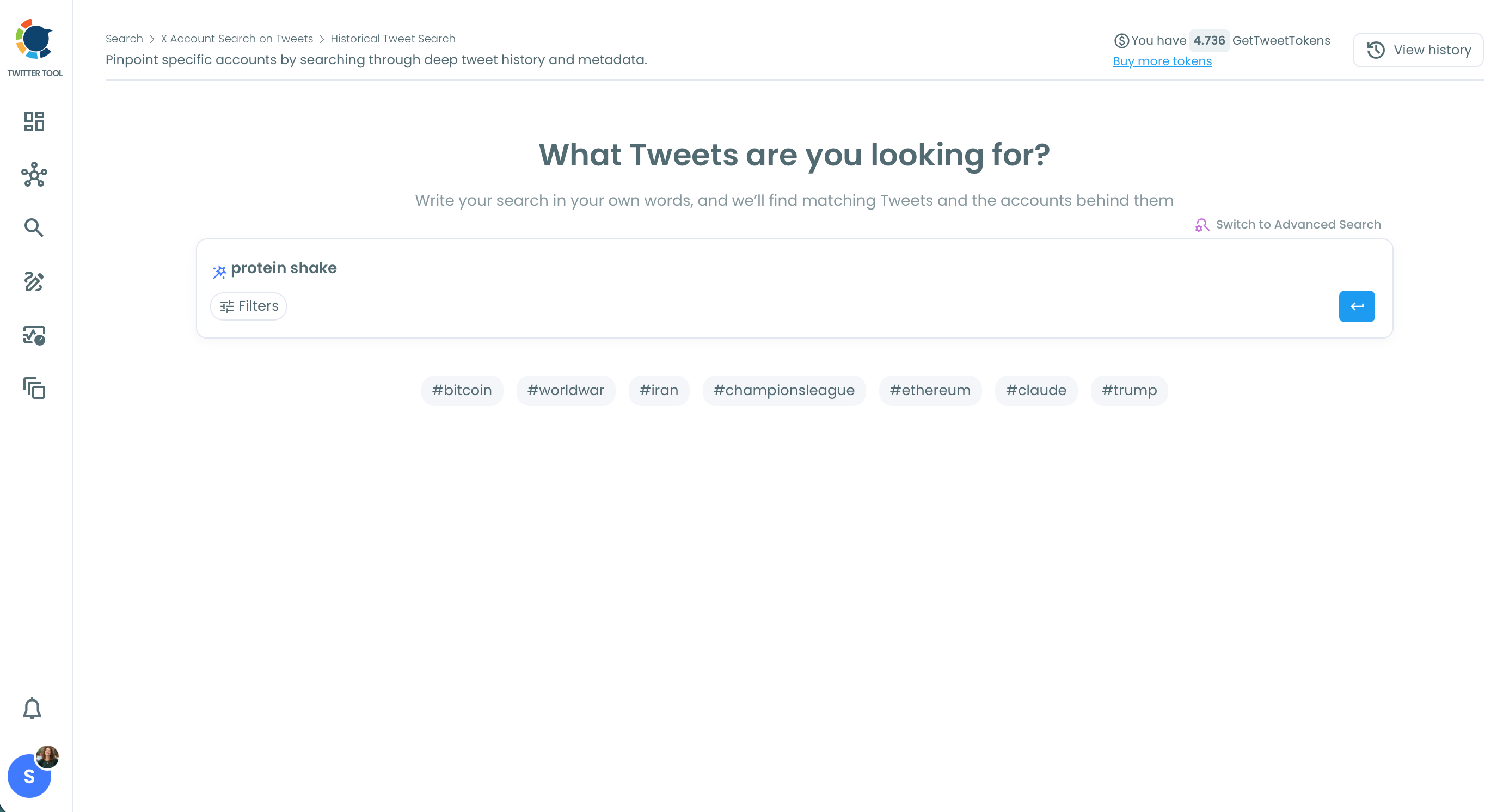
Write your targeted keyword. I wrote 'protein shake' this time.
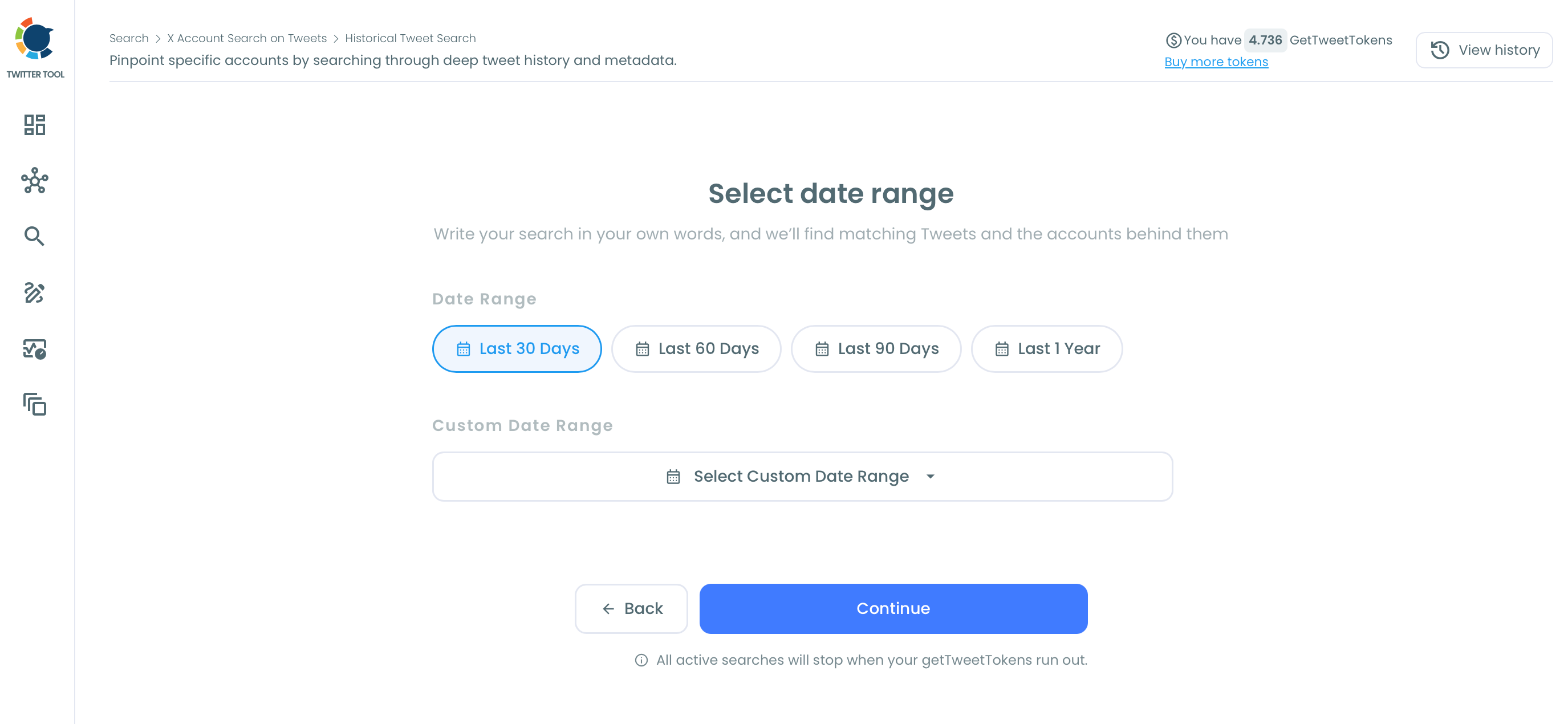
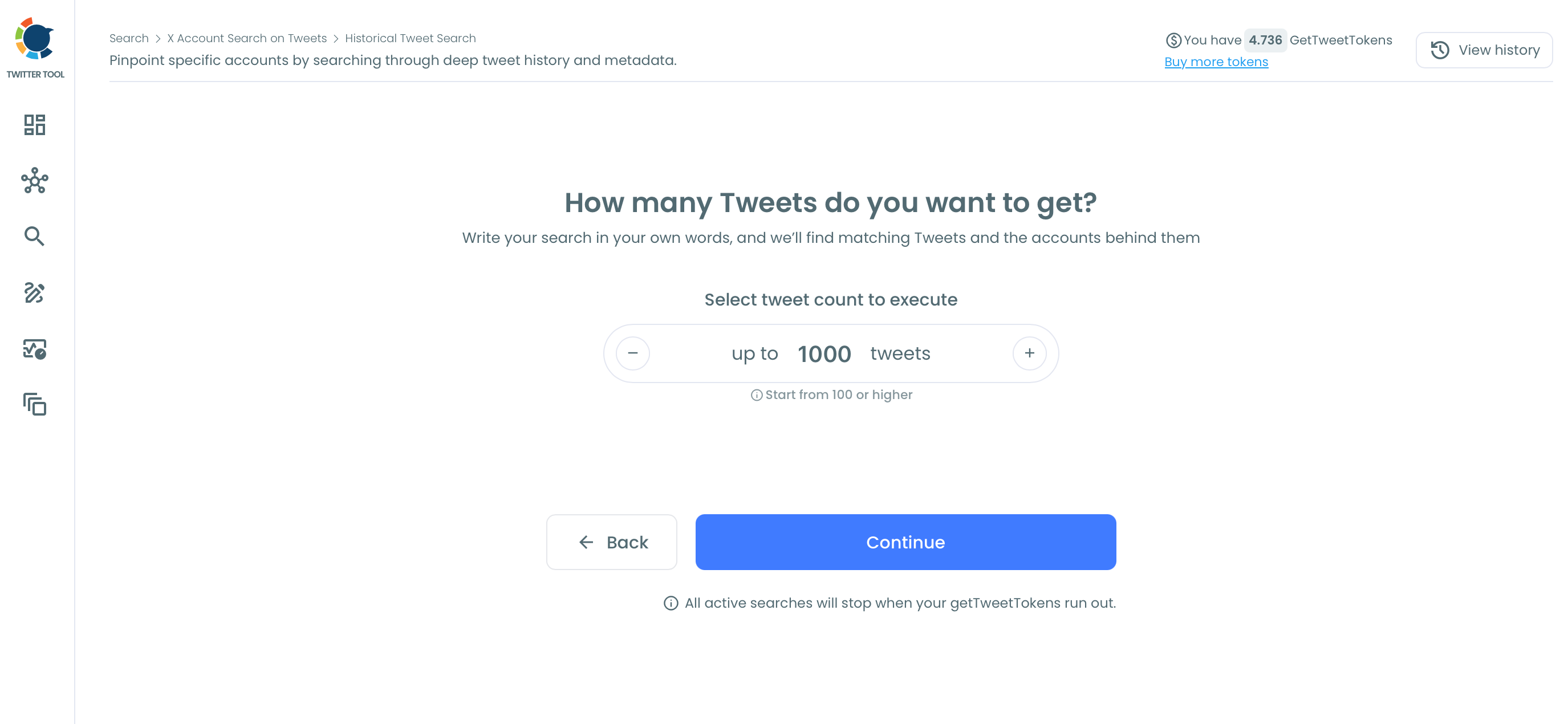
When everything is set, Circleboom will scan and find tweets in defined time period.
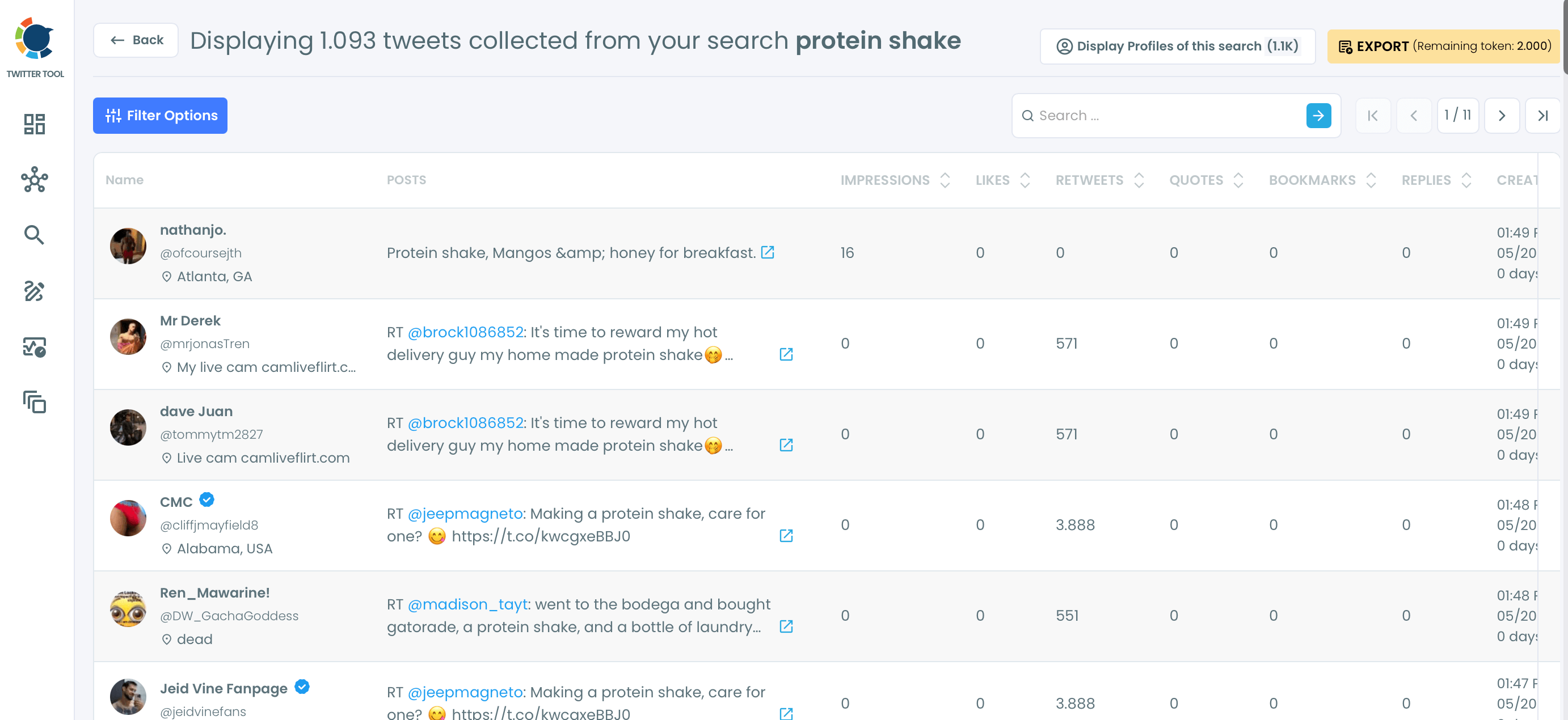
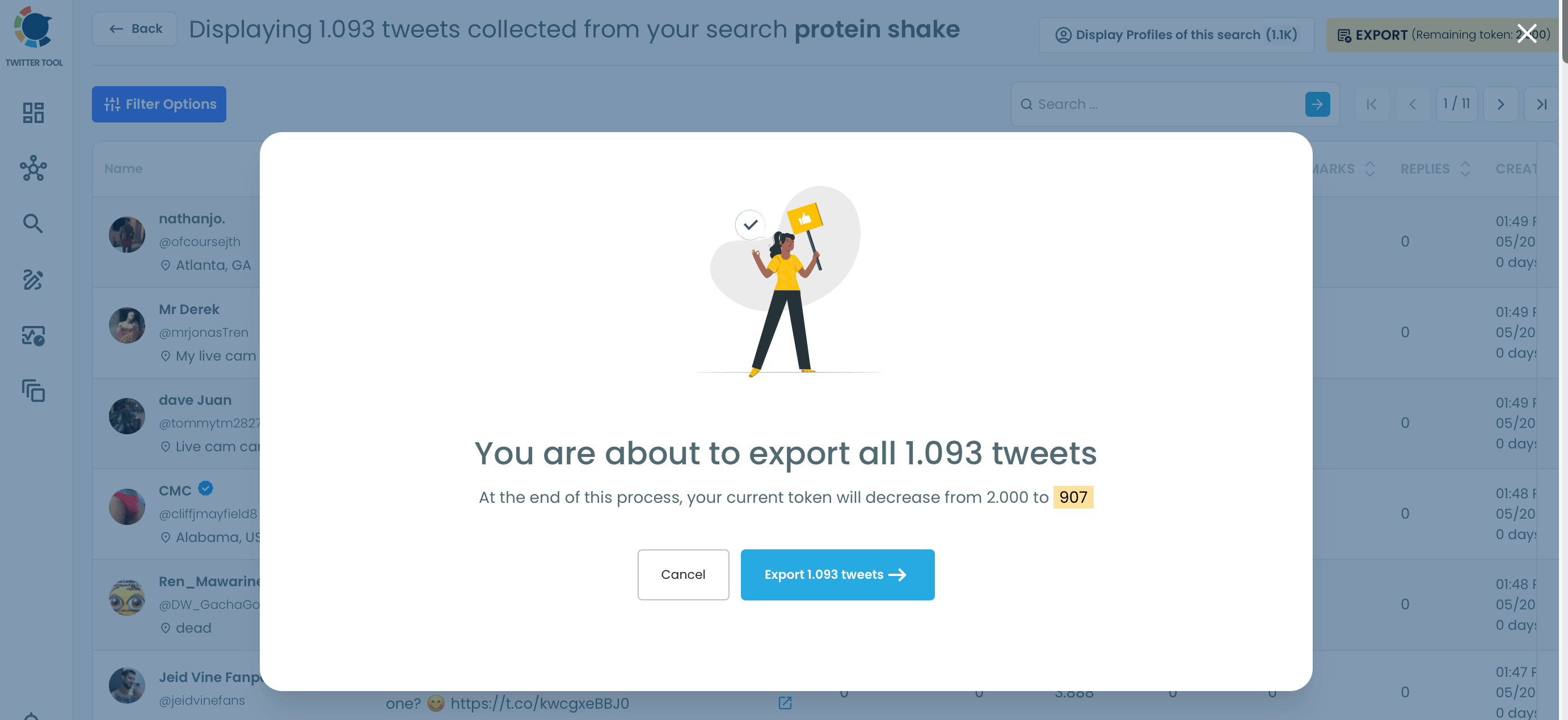
Here are the results:
Frequently Asked Questions (FAQs)
Do you want to have a new, cleaner appearance on Twitter? If so, maybe you should consider deleting your tweets, deleting retweets, or removing your old Twitter likes!